

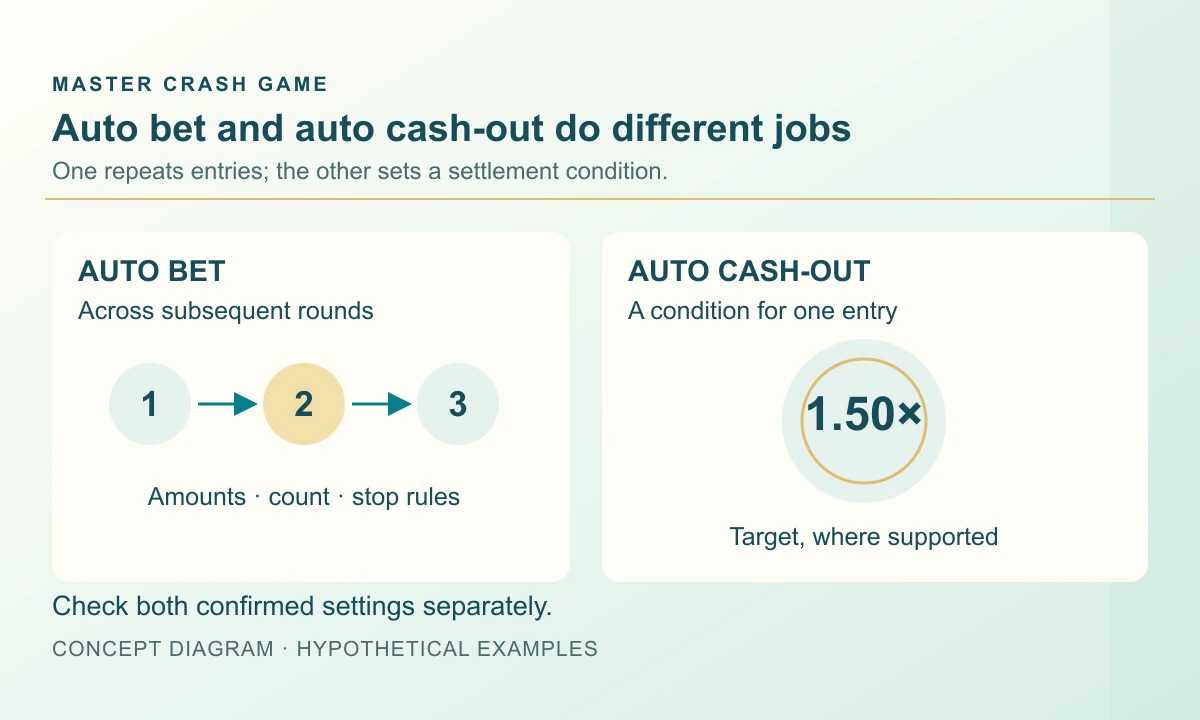
A control marked “Auto” may repeat bets, set an exit target, or open a panel containing both. These jobs should be checked separately. Repetition creates future entries; a cash-out target concerns how an accepted entry is settled. Confusing them can leave a player watching the wrong counter. The examples below are fictional planning records, with supplier documentation used to show why the distinction matters.
Identify what the switch actually automates
BGaming lists two separate Space XY features: autoplay sets a bet and a number of runs, while auto cash-out sets a multiplier for leaving the rocket. The first description concerns a sequence of entries; the second concerns an exit condition. A product that places the next bet for you has not necessarily chosen an exit target, and an exit target does not necessarily create another bet.
Before enabling either, read the confirmed state rather than the word “Auto” alone. Which panel does it cover? Which amount will repeat? Which round receives the first entry? Does a saved setting survive a reload or a new session? If the help leaves a point unanswered, keep it as an open question instead of borrowing another title’s behaviour.
Read the count and the commitment together
A round count describes repetition, but an amount describes the money or learning credits exposed on each repeat. Count every active panel. If a fictional plan contains four rounds with a 5-unit entry each, and all four entries are accepted, the total committed across the plan is 20 units. That is turnover, not necessarily the starting balance or the final loss.
The official Space XY rules v1.0 describe autoplay repeating configured bets across the selected runs and showing runs remaining. That versioned example illustrates why a remaining counter is useful. Check whether the actual counter means rounds still to begin or includes the active round. Do not subtract it from a selected count without knowing how the interface defines it.
Swipe sideways to read the full table →
| Fictional plan item | Value | What it describes |
|---|---|---|
| Rounds selected | 4 | Planned repeat count |
| Entry per round | 5 units | Commitment for one accepted entry |
| Total if all four are accepted | 20 units | Turnover across the plan |
| Cash-out target | A separate setting | A condition for closing an active entry |
Stopping repetition leaves another question to answer
Imagine the first two entries have finished and the third has just been accepted when you press a stop control. There are now two separate questions: will a fourth entry be placed, and what happens to the third entry? A clear interface should make both states visible. Stopping future submissions is not, by itself, evidence that the active entry was cashed out, cancelled or refunded.
Read the exact meaning of the stop button before using it as an emergency exit. After the action, inspect the remaining count and the accepted entry separately. Include the first two stakes in your session total even after stopping autoplay.
Check where an automatic stop condition is measured
Spaceman Game Help v1.7, available through operator YesPlay, describes sequence stops for exhausted rounds, insufficient balance and selected balance-change or single-win triggers. These are examples from that help version, not a universal menu of available controls. A trigger’s name still needs a definition before you can interpret its number.
For an unfamiliar product, ask whether a threshold is measured against the balance when the sequence starts, a running total, or one completed entry. Check whether a single-win threshold means gross return or net gain and whether unsettled entries are counted. Two controls showing “10” can behave differently if one measures a single result and the other a cumulative change. Write down the reference amount beside the threshold.
Reconcile returns after the sequence has stopped
Take another fictional four-entry record, again at 5 units each. Suppose the gross returns are 8, 0, 6 and 0 units, all already settled. Turnover is 20, total returned is 14, and the net change is minus 6 before any separate cost. Counting only the two entries that returned something would misdescribe both the commitment and the result.
An automatic target cannot promise that each round reaches it, and stopping a sequence does not create a refund for its losses. End the review with three checks: no unwanted future repetition, a known status for every accepted entry, and a ledger that includes all committed amounts. The linked Android package’s automation settings remain unverified; use its actual help before assuming it behaves like either supplier example.
Frequently asked questions
Is Crash auto bet the same as auto cash-out?
No. Auto bet concerns repeated entries. Auto cash-out concerns a target for closing an entry. Check whether the product requires separate confirmation for each.
Does stopping autoplay automatically close an active bet?
Do not assume it does. Check the stop control’s documented scope and the active entry’s final status separately.
Does the number of autoplay rounds equal my net loss?
No. Round count and entry amounts determine turnover only when the entries are accepted. Net change also depends on every recorded return and any separate cost.
Sources and scope
Examples use the rules and fictional units stated in the article. Check the actual product for its available modes, rules and conditions; no outcome or payment is promised.
Adults 18+. Set time and spending boundaries before participation. Read the limits and breaks guide.
Keep the control guide nearby
Keep this control guide nearby while preparing your Android installation; the download page covers the listed file and its requirements.
Master Crash Android file & install guideRelated reading
Crash Auto Cash Out: What If You Disconnect?
Understand Crash auto cash-out targets and connection loss. Check which action the service accepted and how the final settlement is recorded.
Read the guide Yuvan Kurup
Crash Profit Calculation: Stake vs Return
Calculate a Crash net result from stake, gross return and fees. Work through single-round and mixed-session examples without counting an entry twice.
Read the guide Mithila Kamat
Compare Crash game features: controls, modes and records
Compare Aviator, JetX, Space XY, Spaceman and CarX by documented controls and mode differences, without copying their product claims.
Read the guide Neeladri Basu