

Autoplay, auto cash-out and partial cash-out can sit beside the same rising multiplier, but each does a different job. Some games also offer a separate mode settled by an ending range. Compare the controls before the aircraft, rocket or car theme. The supplier examples were reviewed on 13 October 2026; versions and operator settings can differ.
Start with the shared idea, then identify the actual product
SPRIBE describes Aviator as an increasing-curve Crash game. Its aircraft is a recognisable visual explanation of progress, while Space XY uses a rocket and CarX uses a moving car. The illustration changes how progress is presented. It does not establish that the products use identical outcome rules, limits or fairness systems.
Check the supplier name and help version inside the product you are reviewing. An operator can host several games with similar names, and an app store image may show a different build. This article is a comparison of documented features, not an availability list for the Master Crash Game Android download.
Swipe sideways to read the full table →
| Supplier title | Documented feature to compare | Question for the installed version |
|---|---|---|
| Aviator / SPRIBE | Increasing-curve Crash presentation | What do its actual help and accepted records show? |
| JetX / SmartSoft | New version: four entry panels, autoplay, auto cash-out | Which release and controls are deployed? |
| Space XY / BGaming | Time/multiplier axes; separate autoplay and auto cash-out | How are entries and targets confirmed? |
| Spaceman / Pragmatic Play | Full and 50% cash-out options | What remains active after a partial settlement? |
| CarX / SmartSoft | Cash Out and Range categories | Which mode determines this entry’s settlement? |
Separate repeating an entry from closing an entry
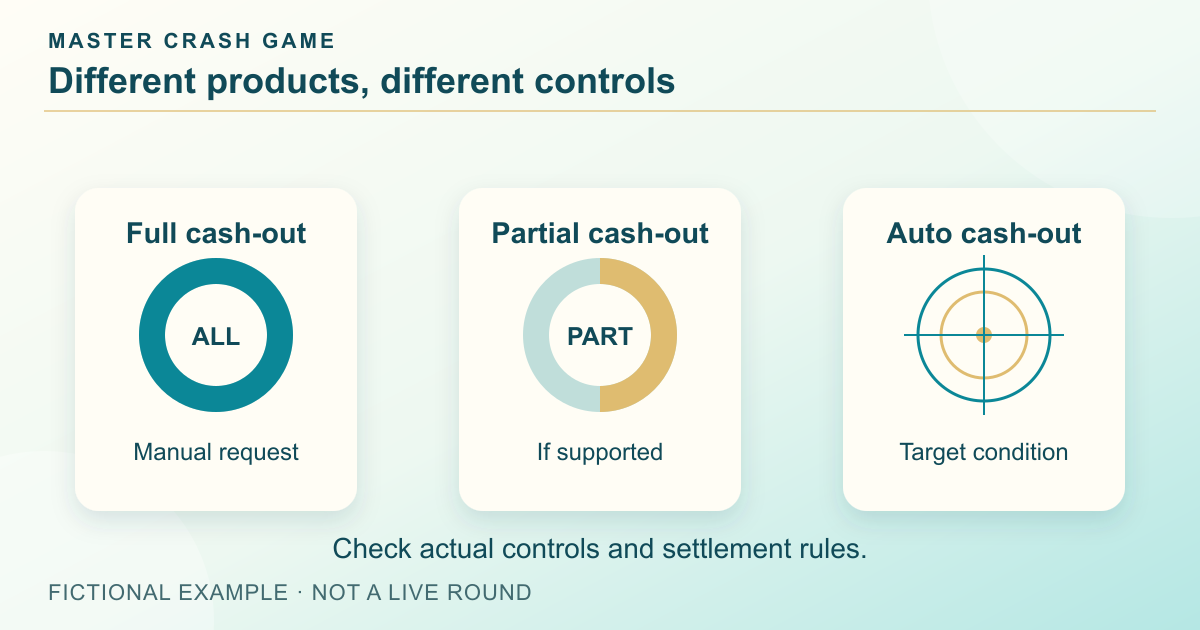
BGaming lists autoplay and auto cash-out separately for Space XY, as does SmartSoft’s current JetX page. Autoplay repeats entries; auto cash-out sets a condition for settling one. Finding one switch is no reason to assume the other is enabled. Check the amount, target and stopping conditions for each setting.
For a useful comparison, read how each setting is enabled, when it takes effect and what ends repetition. Look for the confirmed state rather than just the typed value. Connection handling and accepted-request timing require the product’s own rules. Automation is a control difference, not evidence that outcomes become predictable or losses disappear.
Count total exposure when entry panels multiply
The current JetX supplier page lists four simultaneous bets; older documentation can describe fewer panels. This is a concrete reason to record a version instead of calling a feature universal. Several panels can have separate amounts or settings even though they refer to the same round.
In a fictional screen with three accepted 5-unit entries, total round exposure is 15 units. One settled panel does not automatically settle the others. Read each accepted status and add the committed amounts before comparing a multi-panel interface with a single-panel one. The number of controls says nothing by itself about a favourable mathematical result.
Treat partial cash-out and Range as different mechanisms
Pragmatic Play’s Spaceman page lists auto cash-out and 50% auto cash-out options. That introduces a remaining portion whose status must still be read. SmartSoft describes CarX Cash Out as an action taken before the car stops, while its Range category concerns the interval in which the round ends. These are different settlement questions, despite sharing the same moving scene.
Do not apply a full-entry formula to a partial settlement without identifying the portion being settled. Likewise, do not assume a Range entry has the same manual closing action as a Cash Out entry. Read the exact mode, relevant amount, remaining commitment and final record. None of these features has been verified inside this site’s linked package.
Compare evidence and mobile reading order last
A useful result record connects the entry, round and credited amount; a history strip can merely show round ending values. Ask which one a product supplies and how the two are linked. Keep a supplier’s fairness statement separate from the actual procedure and data available to check a completed result.
On a phone, inspect where the chart, current value, entry controls and records move. A compact layout is helpful only if labels remain clear and the active mode stays visible. Our own teaching diagrams use a consistent teal, ivory and gold palette, but their captions explain the mechanism rather than suggesting that every supplier offers the same screen or that any particular interface guarantees a return.
Frequently asked questions
Are all rocket or aircraft Crash games the same product?
No. Theme does not identify the provider, algorithm, controls or settlement rules. Check the actual supplier and version.
Is autoplay the same as auto cash-out?
No. Repeating entries and selecting a settlement target are different actions and may have separate controls.
Does Master Crash Game offer Spaceman’s half cash-out or CarX Range?
Those capabilities have not been verified in the linked Android app. They appear here as named supplier examples for comparison.
Sources and scope
Examples use the rules and fictional units stated in the article. Check the actual product for its available modes, rules and conditions; no outcome or payment is promised.
Adults 18+. Set time and spending boundaries before participation. Read the limits and breaks guide.
Bring the comparison to Android
Keep this feature comparison for reference while reviewing the listed Android file, its requirements and installation guidance on the download page.
See Master Crash download informationRelated reading
Crash Chart Explained: Axes, Round States and Results
Learn what a Crash game graph shows, how round states change and why a visible multiplier is not a settlement record.
Read the guide Yuvan Kurup
Crash Auto Cash Out: What If You Disconnect?
Understand Crash auto cash-out targets and connection loss. Check which action the service accepted and how the final settlement is recorded.
Read the guideYuvan KurupCrash fairness explained: RNG, commitments and verification limits
Distinguish RNG claims from a reproducible round check, and learn which product-specific inputs and rules verification needs.
Read the guide Neeladri Basu