


The former Google Play destination and the Android APK linked on this site identify different Android apps. Their application IDs differ. That matters if you already have an installation: one is not an in-place update for the other, and a shared website or familiar icon does not establish that your account and records will move between them.
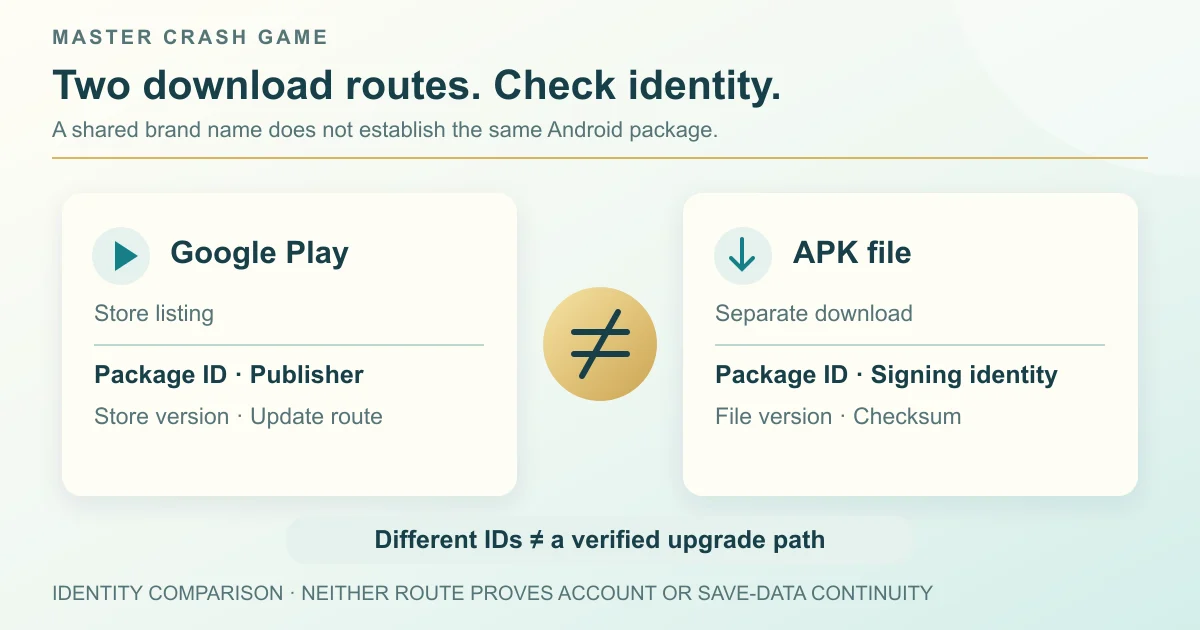
The two entries, with their evidence dates
The Play destination was reviewed on 24 November 2026. The APK figures below come from this website’s file inspection on 13 October 2026. Keeping those dates separate prevents an old file check from becoming an unsupported claim about today’s download.
This comparison concerns two distribution routes: APK is Android’s installable package format, and Google Play also delivers APKs to devices. Here, “the APK” means the separate file linked by this website.
Swipe sideways to read the full table →
| Field | Google Play entry | APK file record |
|---|---|---|
| App identity | com.mastercrash.challengeavorquenix | com.teenpattimervion.zelvarix |
| Displayed or recorded name | Master Crash | Teen Patti Master |
| Publisher information | Listing displays Nova Play Studios. | Publisher identity was not verified by the file inspection. |
| Version and size evidence | No current store build was verified. | versionName 1.0; versionCode 1; 58,913,222 bytes (58.9 MB). |
| Evidence date | Listing observed 24 November 2026. | Downloaded bytes and manifest checked 13 October 2026. |
| What was not tested | Installation, account migration and gameplay. | Installation, runtime behaviour and actual game modes. |
The former store record supplied its own name and developer information. If it is missing from your search, see what to check when Master Crash is not on Google Play. The website’s APK file record supplies the separate file details. Neither record establishes a shared operator, a common backend or transferable balances.
Why the name and icon cannot settle the question
A name is what you recognise on the screen. An application ID is the identifier Android uses to distinguish apps. In a Play link, it appears after id=. Comparing that value with the recorded package identity is more useful than comparing two logos.
Android’s application-ID documentation explains that changing the ID creates a different app identity. For the two entries above, the strings differ. This is a concrete reason to treat them separately; it is not evidence that either entry is fraudulent or that their features must be identical.
Version labels cannot bridge that difference. “1.0” is a label inside the APK record, not a statement that it is older or newer than every other app named Master Crash. Comparing version numbers from different application IDs does not establish a valid upgrade sequence.
If someone sends you a new link, compare the whole destination, not just its preview image. A shortened link or a screenshot of a store page omits information you need. Open the actual listing without installing anything and read the identity and publisher fields before deciding what it represents.
Choose the next step from your current installation
Start with what is already on your phone. The useful question is “Which app am I trying to install or update?” rather than “Which button looks more official?” Use the following decision sequence before changing anything.
- No existing installation: read the chosen entry’s description, permissions, device availability and support information. Decide whether that particular product is the one you intended. This comparison does not certify its operation or safety.
- An installation associated with Google Play: open its own App details in store link where available. Compare the listing identity. A page for another ID is a different app entry, even if both names look familiar.
- An installation made from an APK: compare its recorded source and package details with the proposed file. If you cannot confirm the installed identity, resolve that question before replacing or removing it.
- You want to move between the two: ask for product-specific account and data migration instructions first. Treat “install another app” and “recover an existing account” as separate tasks.
It is reasonable to stop with an unanswered identity question. Downloading both files does not answer it, and removing an installation may make the original version or local evidence harder to inspect. Keep the known record while you ask for a documented explanation.
What an update would actually have to match
Android accepts an update only when several conditions line up, including the same application ID, compatible signing identity or valid signing-key rotation, and an acceptable version code. See the platform’s app-update requirements. Matching a name, icon or file size satisfies none of those identity checks.
The different IDs in this comparison already rule out treating one entry as an in-place update of the other. This conclusion does not require guessing their signing certificates. It also does not establish whether a publisher offers a separate migration service; that needs its own evidence.
For the same app identity, an update is still not guaranteed just because the version name looks higher. Signing continuity and the platform’s other conditions remain relevant. If an installer rejects an update, keep its exact message rather than immediately uninstalling the old app to make the warning disappear.
The Android update checklist explains those checks in more detail. A matching file checksum can confirm a comparison with a particular recorded file; it cannot make two different application IDs the same app.
Resolve account questions before changing channels
An Android app identity and an account held by a service are separate things. Two different apps could have a documented shared sign-in system, or they could have unrelated accounts. The two links here do not establish either arrangement. Do not assume that a phone number, account label, game history or balance will be recognised by the other entry.
Before a move, ask which exact application IDs are covered, whether the same account is supported, which records transfer, and whether the old installation must remain available. An answer that only repeats the brand name leaves the key question unresolved. Save the instructions and their date; do not send passwords or one-time codes as proof of ownership.
Local app data needs its own plan. Clearing data or uninstalling is not a migration step unless the product’s documented process calls for it and recovery access has been confirmed. An apparent new or empty account after installing a different app is not, by itself, proof that records in the previous service have been deleted.
If the original problem is a launch failure, use the Master Crash opening checks first. If you are comparing the downloadable file, keep the Master Crash APK details beside the source you are reviewing. Choose a channel with its actual identity in view, not from the artwork alone.
Sources and scope
The Play listing was observed on 24 November 2026. APK facts are from the separate file and manifest inspection dated 13 October 2026; the file was not re-tested for this article. The comparison does not establish common ownership, security, account interoperability or gameplay features.
The application IDs were compared with Android’s published identity and update requirements. This establishes the identity mismatch, not an installed-app test. Migration questions remain open unless the actual product supplies verifiable instructions.
Adults 18+. Set time and spending boundaries before participation. Read the limits and breaks guide.
Related reading
Android Game App Update Checks: Before You Install
Check an Android game app update against package identity, signing continuity and version information. Review changed permissions before replacing a build.
Read the guide Mithila Kamat
APK Checksum Verification: Check Your Download
Compare an APK SHA-256 checksum with the recorded file digest. Understand what matching bytes establish and which publisher or behaviour checks remain separate.
Read the guideMithila Kamat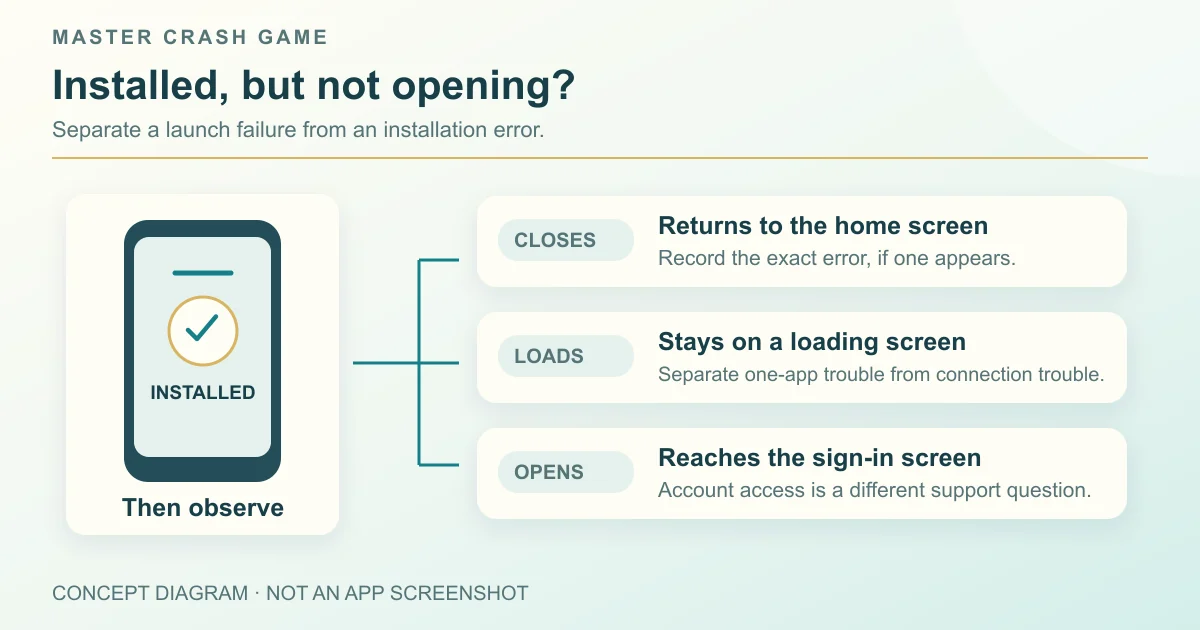
Master Crash Not Opening? Find the Failure Point
Master Crash not opening, closing on launch or stuck loading? Match the symptom to a careful Android check before clearing data or reinstalling.
Read the guideMithila Kamat