


You tap cash out at one multiplier, but the round finishes at another. Which number counts? To answer that, follow the entry from its acceptance to its final result. The examples below use fictional units and a common Crash format; the app’s own rules decide how it handles requests, timing and connection loss.
The three phases of a round
First comes the entry window. Once the live round begins, the displayed multiplier changes until the crash point ends it. Check the app’s deadlines and limits for each stage: an amount entered on the screen is not necessarily an accepted entry, and a control for the next round may be visible while the current one is running.

A click and an accepted request
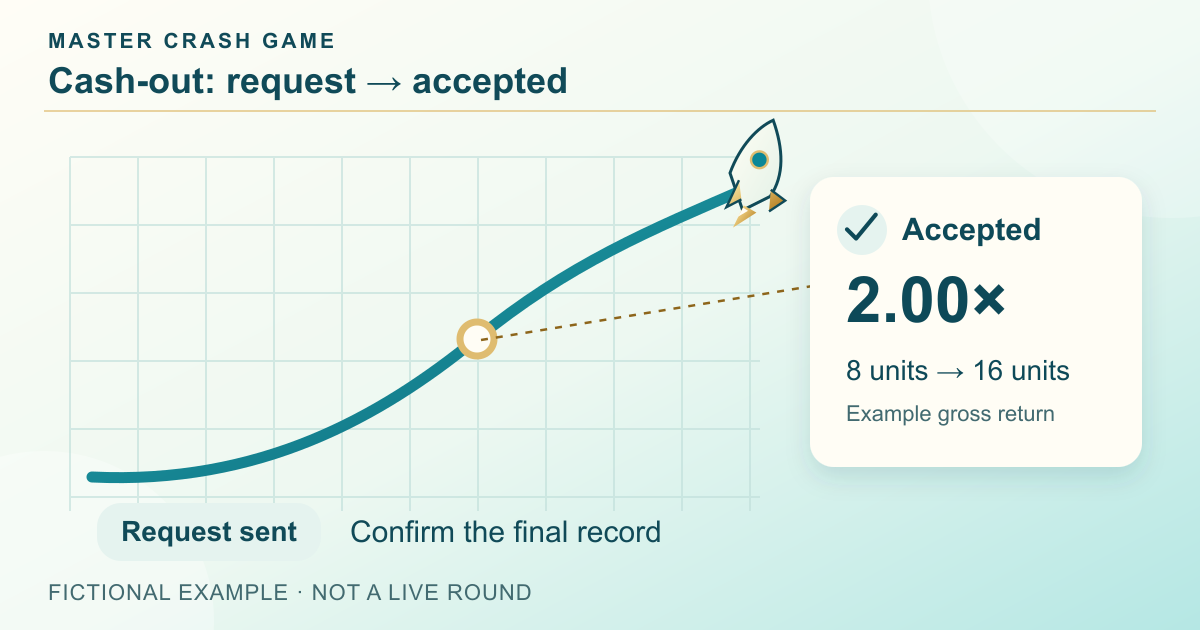
Pressing a cash-out button initiates a request. The accepted server result matters for settlement. Network delay, a round ending or a rejected request may make the record different from the number you saw locally. If you need to resolve a disputed result, preserve the round identifier, timestamp and confirmation. Do not assume a display animation proves a settled payout.
A simple numerical illustration
For a fictional 10-unit entry accepted at 1.50×, the gross calculation is 10 × 1.50 = 15 units. This is an arithmetic example, not a quoted payout rule. Fees, rounding, payout caps and the meaning of “return” must be checked in the actual rules. A round ending before an accepted cash-out normally means the active entry is lost.
What to check before entering
Read the displayed stake range, entry deadline, maximum settlement and whether a cash-out target is server-side or device-dependent. Identify where the final result appears. If the explanation is missing or ambiguous, pause rather than relying on a guess. A time boundary and a spending boundary should be chosen before a fast sequence of rounds starts.
Follow one round from entry to record
Imagine an entry accepted before the round begins. A 10-unit stake is then accepted for settlement at 1.60×, creating a 16-unit gross return and a 6-unit net gain before costs. A different entry that remains active when the round ends has no successful cash-out in this illustration. The visible multiplier alone cannot tell you which event was accepted for each entry.
Swipe sideways to read the full table →
| Stage | What to inspect |
|---|---|
| Entry | Stake and acceptance before the deadline |
| Live round | Selected target and request acknowledgement |
| End | Final multiplier and accepted result |
| Record | Round ID, credited return and any cost |
Separate practice from product evidence
Use the worked example to check the arithmetic and the illustration to learn the labels. To find out which Crash mode the linked Android app offers, you still need its current rules. For a result question, keep the round reference and cash-out confirmation. Next, the return-and-profit guide explains how to separate the credited amount from the gain.
Frequently asked questions
Is the displayed multiplier my settled return?
Only an accepted result under the product rules establishes settlement. A local display can differ from the final record.
Does a 1.60× return mean a 60% net gain?
In the simple no-fee example, yes, relative to that successful entry. Losing entries and costs must still be included in a session total.
Does this guide confirm a specific app mode?
No. It explains a common game type; actual availability and rules require product evidence.
Sources and scope
Examples use the rules and fictional units stated in the article. Check the actual product for its available modes, rules and conditions; no outcome or payment is promised.
Arithmetic, fictional scenarios and editorial checklists are independently written for this website. Read our editorial policy for how claims and updates are handled.
Adults 18+. Set time and spending boundaries before participation. Read the limits and breaks guide.
Continue on Android
For Android setup, review the listed APK’s file details and installation steps, then keep this round guide handy as a reference.
Master Crash APK download detailsRelated reading
Crash Profit Calculation: Stake vs Return
Calculate a Crash net result from stake, gross return and fees. Work through single-round and mixed-session examples without counting an entry twice.
Read the guide Mithila Kamat
Crash Auto Cash Out: What If You Disconnect?
Understand Crash auto cash-out targets and connection loss. Check which action the service accepted and how the final settlement is recorded.
Read the guide Yuvan Kurup
Crash Cash Out Targets: The Break-Even Maths
Calculate a fictional Crash cash-out target, gross return and break-even threshold. Separate arithmetic conditions from an unknown real success probability.
Read the guide Neeladri Basu